
Local Transcription
Local transcription converts speech to text on your own infrastructure without sending audio to an external service. Voquill desktop clients are automatically pointed at providers you configure in the admin portal, so all audio and transcription traffic stays within your internal network.
Overview
Section titled “Overview”By hosting your own instance of Speaches, you can run speech-to-text transcription entirely on-premise. Speaches is an OpenAI API-compatible server that uses faster-whisper for transcription. This works best with a GPU. CPU-only images are available, but expect significantly slower inference times. We recommend at least 16 GB of RAM for most models.
1. Add Speaches to Docker Compose
Section titled “1. Add Speaches to Docker Compose”Add the following service to the docker-compose.yml you created during initial setup:
speaches: image: ghcr.io/speaches-ai/speaches:latest-cuda ports: - "8000:8000" volumes: - speaches_data:/home/ubuntu/.cache networks: - voquill deploy: resources: reservations: devices: - driver: nvidia count: all capabilities: [gpu]If your server doesn’t have a GPU, use the CPU image instead:
speaches: image: ghcr.io/speaches-ai/speaches:latest-cpu ports: - "8000:8000" volumes: - speaches_data:/home/ubuntu/.cache networks: - voquillAnd add the volume to your existing volumes section:
volumes: postgres_data: speaches_data:Start the service:
docker compose up -d speaches2. Configure Voquill
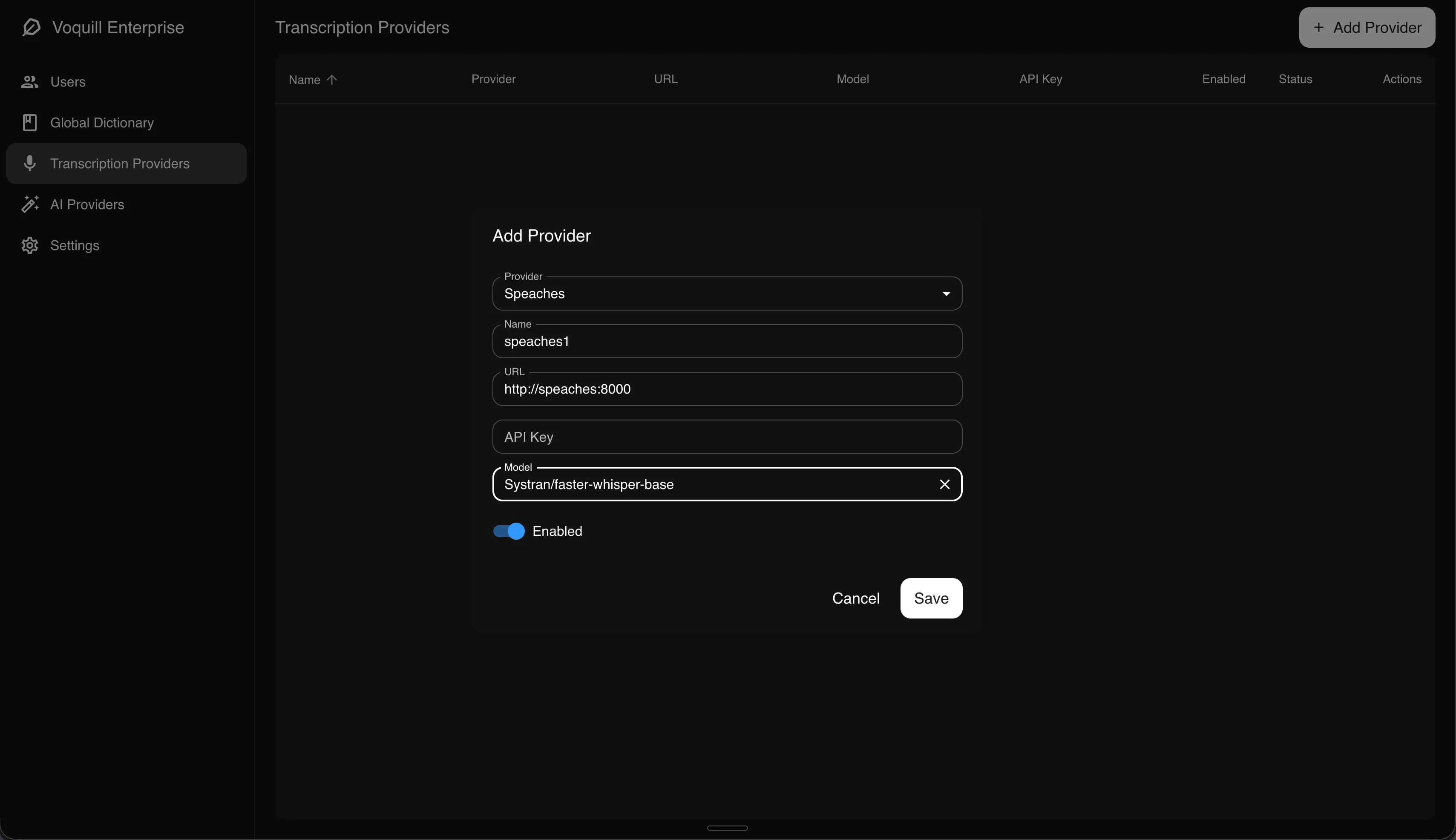
Section titled “2. Configure Voquill”Open the admin portal and navigate to the Transcription Providers page. Add a new provider with the following settings:
- Type: Speaches
- URL:
http://speaches:8000(if running on the same Docker network) orhttp://your-host:8000(if running on a separate machine) - Model: The model you want to use (e.g.
Systran/faster-whisper-base)
3. Model Sync
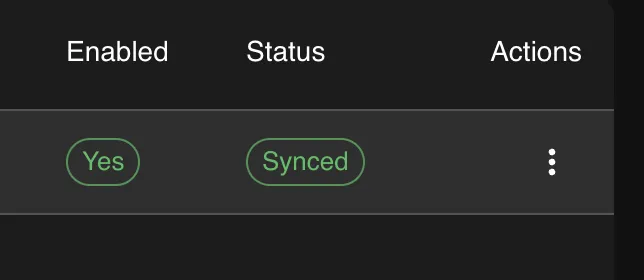
Section titled “3. Model Sync”After adding a provider, the UI shows the sync status of each model. You can monitor this to see whether the model has been pulled successfully, and click to retry if it failed. To change the model later, use the three-dot menu on the provider card to update the configuration. Voquill will automatically pull the new model.
Scaling Across Machines
Section titled “Scaling Across Machines”You can run multiple Speaches instances on different machines within your organization. Add each one as a separate provider in the admin portal. Voquill handles load balancing automatically and will distribute transcription requests across all configured providers.